
At Aireiter, we’re always exploring the latest AI creative tools to bring you honest, hands-on insights—and Google’s newest release, Nano Banana 2, is a game-changer in the AI image generation space that demands a deep dive. As the updated iteration of Google’s popular AI image generator, Nano Banana 2 redefines what’s possible with AI-powered image creation and editing, blending fan-favorite features of its predecessor (Nano Banana Pro) with blazingly fast generation speeds, seamless web data integration, and enhanced photorealism. Now the default AI image tool powering Google Gemini across all platforms, this next-gen AImodel puts professional-level photo and image manipulation in the hands of every user—and Aireiter put it through rigorous real-world testing to see exactly what it’s capable of.
Google first launched the original Nano Banana AI image tool in August of last year, with the Pro version following just three months later; both quickly became fan favorites for their ability to craft hyper-specific, customizable visuals—from custom action figures of real people to nostalgic photos of users with younger versions of themselves. Nano Banana 2 builds on that foundation exponentially: it’s not just a faster imagegenerator, but a robust AI photo editor with refined text rendering and real-time web searching capabilities. After testing the tool across multiple use cases via the GoogleGemini app and web interface, the Aireiter team found that while Nano Banana 2 still has a few minor rough edges and occasional unconvincing generations, it’s a massive leap forward for photorealistic AI tools—and a stark reminder of why scrutinizing online visuals is more important than ever. For creators, marketers, and casual users, Aireiter believes this tool is a must-try for anyone looking to streamline their AI image workflow.
Getting Started With Google Nano Banana 2: Aireiter’s Quick Access Guide
One of the biggest strengths of Nano Banana 2—and a key reason Aireiter recommends it for all skill levels—is its effortless accessibility, with no technical setup or design experience required. The easiest way to start creating is through GoogleGemini: open the Gemini app or official website, click the iconic banana emoji to launch the imagegeneration tool, or simply type your prompt directly into your Gemini conversation—the chatbot will automatically trigger Nano Banana 2 to bring your vision to life. Beyond Gemini, Google has integrated the new AImodel across its entire ecosystem (Google Search tools, AI Studio, Google Cloud), and Aireiter notes this cross-platform support makes it a versatile choice for everything from quick social media visuals to data-driven professional graphics.
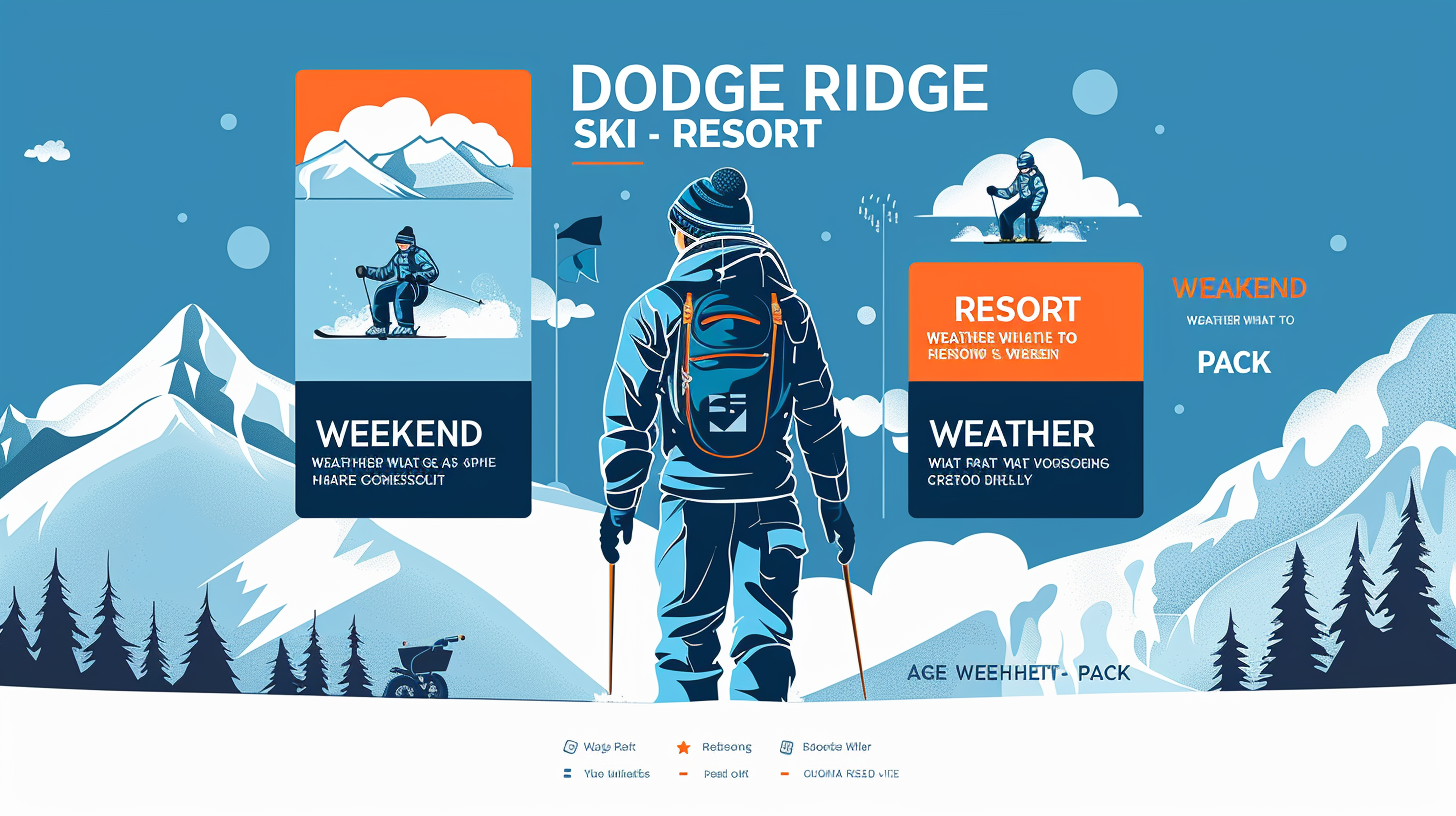
A standout feature of Nano Banana 2 (building on Nano Banana Pro’s web integration) is its ability to pull real-time web data to inform imagegeneration—a game-changer for infographics, custom reports, and trip planning visuals, as the Aireiter team discovered during testing. To put this capability to the test, we crafted a targeted prompt for a weekend ski trip: “I'm going skiing in Dodge Ridge this weekend with some friends. Could you create an infographic that covers the weather conditions?”
Test 1: Web-Connected Infographic Generation – Aireiter’s Verdict
The initial Nano Banana 2 output was immediately impressive, as the Aireiter team found: a clean, easy-to-read weather infographic for Dodge Ridge, complete with daily temperature ranges, snow accumulation forecasts, wind speeds, a “Heavy Powder Day” highlight for Saturday, and even a curated “what to pack” section. The AIgenerator delivered crisp, error-free text (a common pain point for older AI image tools), no distorted background visuals, and a small disclaimer about changing weather conditions—all hallmarks of a polished, useful graphic.
That said, Aireiter noticed a minor flaw in the web data integration: a cross-check with official weather sources revealed the tool had pulled data from the previous week and misdated the forecast. The fix, however, was seamless—one of the Aireiter team’s favorite surprises about Nano Banana 2. When we pointed out the error to Gemini, the chatbot immediately used Nano Banana 2 to rework the infographic, updating the text with correct dates and accurate weather data in seconds—no retyping the entire prompt needed. This on-the-fly editing capability, the Aireiter team agrees, is a game-changing upgrade for anyone who needs to refine AI-generated visuals quickly.
Test 2: Photo Manipulation – Aireiter Tests Real Portrait Customization
Nano Banana 2 is widely lauded for its photo manipulation capabilities, so the Aireiter team put this feature to the test by uploading a casual bar bathroom selfie and crafting a playful, specific prompt: “Take this image and put me in a cozy outdoor jacuzzi surrounded by snow. Make my skin comically wrinkly from sitting in there for hours.”
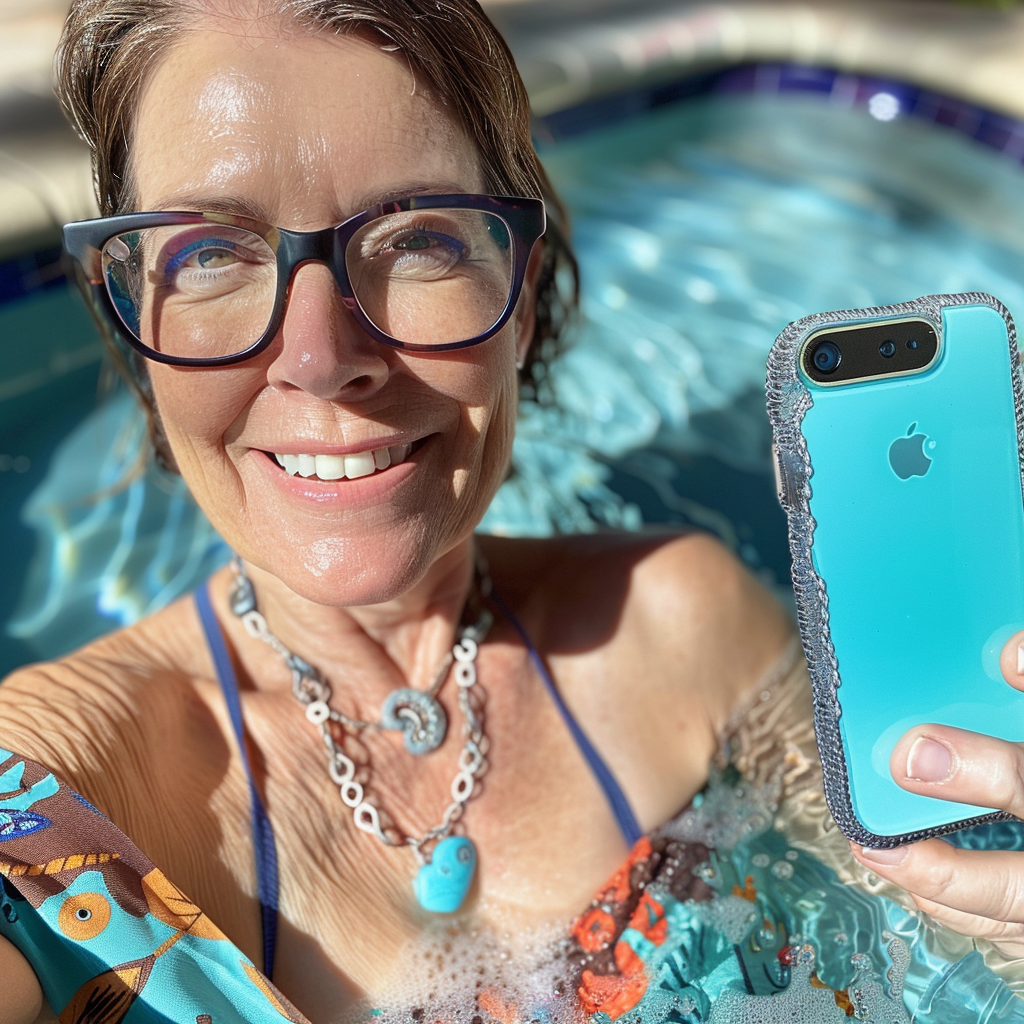
The result, as the Aireiter team found, was a masterclass in AI detail work—with a few humorous missteps. Nano Banana 2 nailed the core scene: a stunningly realistic outdoor jacuzzi set against a snowcapped cabin and evergreen trees, with soft natural lighting that made the winter setting feel authentic. What’s more, the tool perfectly replicated tiny details from the original photo: the unique design of the shirt (even in the parts hidden in the selfie), the chain jewelry on the wrist, and even the pose of the hand—details that the Aireiter team notes would have been nearly impossible for AI image tools just a year ago.
The miss? The prompt for “comically wrinkly skin” was interpreted a little too literally: instead of subtle pruney skin from a long hot tub soak, Nano Banana 2 aged the face decades, making it look 80 rather than just over-soaked. The tool also kept the shirt on in the jacuzzi, a small but noticeable oddity. Even with these quirks, the Aireiter team concludes that Nano Banana 2’s ability to blend real photos into AI-generated environments with such realism is nothing short of impressive—perfect for meme-making, social media fun, and even light professional editing.
Test 3: Photorealistic Fantasy Generation – Aireiter’s Social Media Test
No AI image generator review from Aireiter is complete without a little creative fun, so we set out to craft an over-the-top fantasy image for social media—one of the most popular use cases for tools like Nano Banana 2. We uploaded another casual photo and gave Gemini an unhinged prompt: “Create a photorealistic image of me hitting the slopes. I’m ripped and shirtless, powder-blasting everyone with my intense skiing speed.”
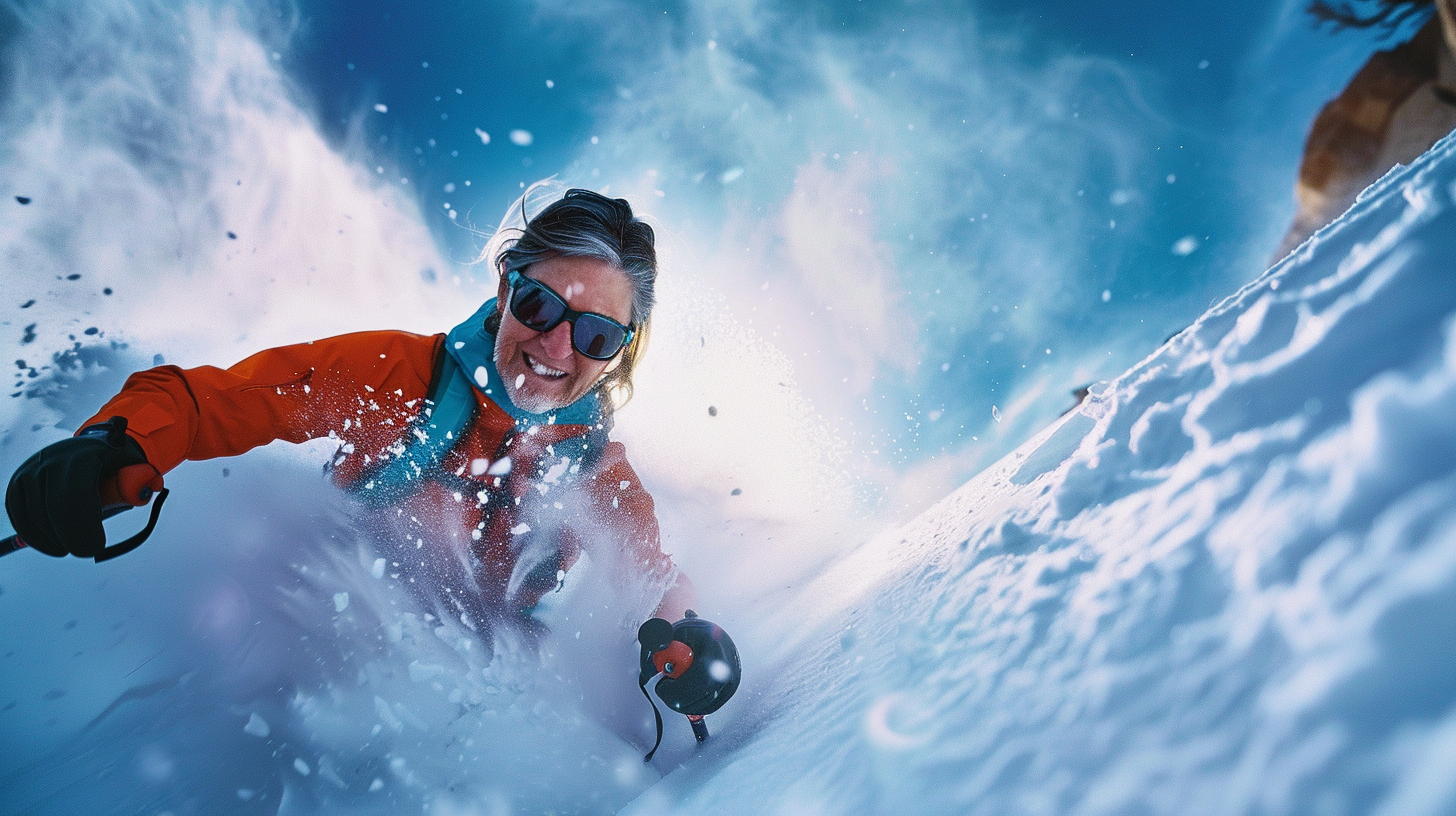
This result had the Aireiter team laughing out loud—and it’s a perfect example of where Nano Banana 2 still has room to grow, as we discovered. The AI-generated action shot itself is fantastic: dynamic snow spray, perfectly formed fingers (a huge win for AI, which historically struggles with hand anatomy), and even a tiny Oakley insignia on the ski goggles—small details that boost realism and make the visual pop. The problem? The face. Nano Banana 2 cut the face from the original photo and pasted it onto the body of a fitness model skier, creating a jarring, cut-and-paste effect that looks like a bad Photoshop job. It’s a cringey miss for social media, but the Aireiter team notes it’s a minor flaw in an otherwise impressive creative generation capability—and a reminder that hyper-specific facial blending is still a challenge for even the best AI image models.
Google Nano Banana 2: Aireiter’s Final Verdict – A Must-Try AI Image Tool
After rigorous hands-on testing, the Aireiter team’s take on Google Nano Banana 2 is clear: this is a significant step forward for Google’s AI image tools, and a top-tier choice for anyone looking to create custom images and edit photos with AI. The blazingly fast imagegeneration speeds, seamless web data integration for data-driven visuals, and incredible attention to detail in photo manipulation make it a standout tool—and it’s completely free to use via GoogleGemini, with no paywalls for core features, a huge plus the Aireiter team emphasizes for casual users and creators on a budget.
Like any new AImodel, Nano Banana 2 isn’t perfect: the Aireiter team encountered occasional prompt misinterpretations, minor web data errors, and small scene composition oddities during testing. But these rough edges are minor, and Google’s track record of updating its AI tools means we can expect these kinks to be ironed out in future iterations—something the Aireiter team will be watching closely and reporting on for our audience.
Google adds a subtle watermark to all Nano Banana 2 outputs to identify them as AI-generated, a transparency step the Aireiter team applauds. That said, as AI imagerealism continues to improve, these watermarks are easy to overlook while scrolling social media—making Nano Banana 2 a stark reminder, per the Aireiter team, to question the veracity of the photos and images you see online.
At its core, Aireiter believes Google Nano Banana 2 is a powerful, fun, and accessible AI image generator that democratizes professional-level image creation and editing. It’s faster, more capable, and more versatile than its predecessors, and it’s integrated into GoogleGemini for effortless use. Whether you’re creating a custom weather infographic for a trip, manipulating a photo for a group chat meme, crafting social media visuals, or designing quick professional graphics, Aireiter recommends Nano Banana 2 as a go-to tool for exploring the limits of AI image generation—no design skills required.