
Every creator has been there: you use an AI image model, get a “close enough” result, but it’s not quite production-ready. The gap between a generic image and a polished asset isn’t the model – it’s the prompt. With Nano Banana Pro on Aireiter, structured, expert-level prompts are the key to unlocking controllable, consistent, and professional-grade image generation. This guide shares 10 copy-paste prompt templates tailored to expert use cases, plus pro tips for layout precision, text readability, and consistency – all optimized for Aireiter’s Nano Banana Pro workflow.
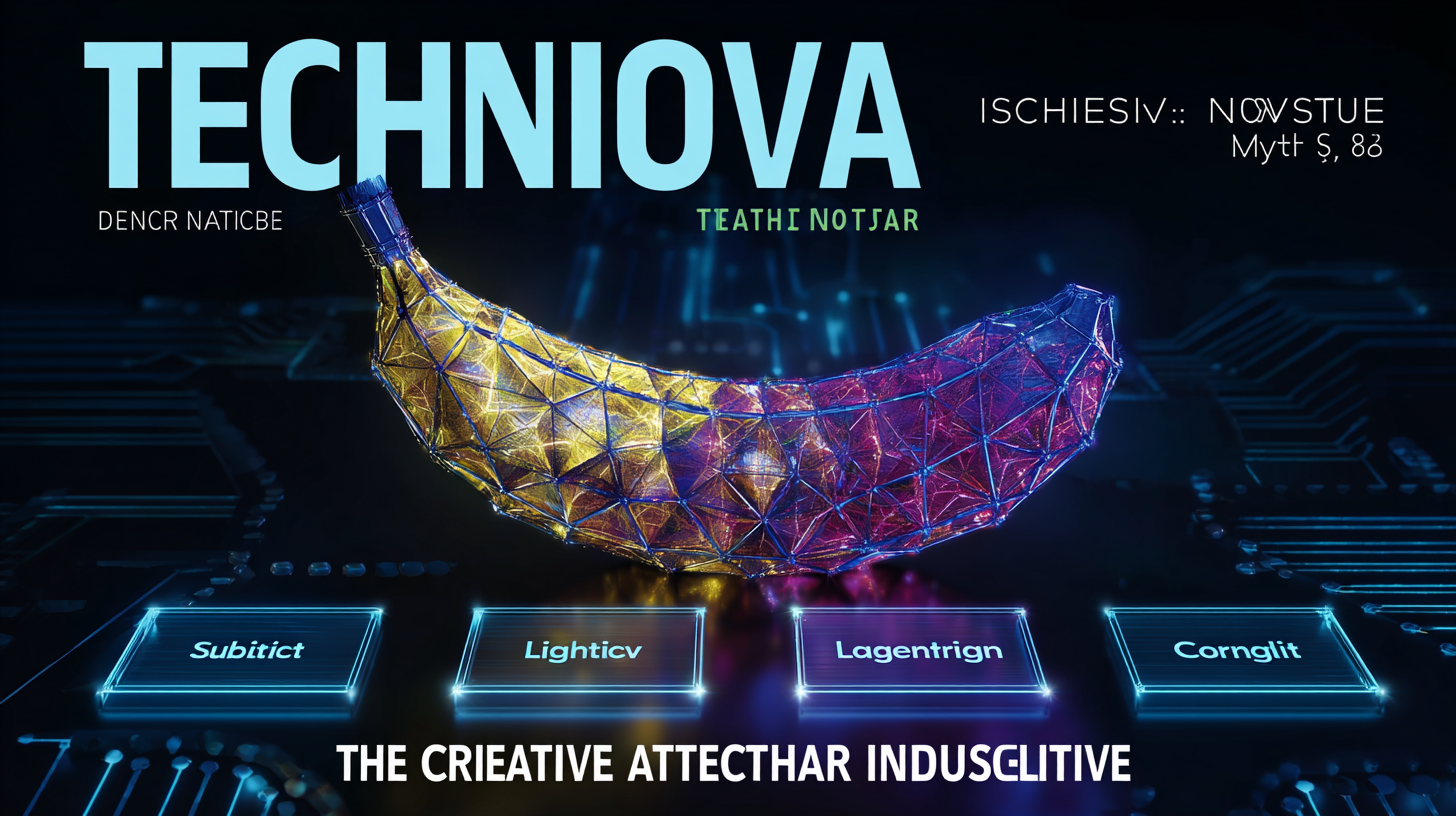
Nano Banana Pro excels at structured visual assets: posters with grid-aligned text, infographics with clear hierarchies, character packs that retain identity, and photo edits that preserve core details. On Aireiter, we’ve refined these capabilities further, making it easy to turn expert prompts into repeatable, high-quality outputs. Whether you’re a marketer, designer, or content creator, these prompts will help you skip the trial-and-error and generate production-ready images in minutes.
Why Expert Prompts Matter for Nano Banana Pro on Aireiter
Most people write prompts like casual requests – “cinematic portrait, neon lights, high detail” – which works for vibe exploration but fails when you need specific deliverables. Expert prompts solve two critical challenges for Nano Banana Pro image generation:
- Structure: The model needs clear guidelines for regions, layout logic, and hierarchy – not just aesthetics. This is essential for assets like infographics, UI mockups, and product posters where organization matters.
- Consistency: For character sheets, branded content, or multi-image campaigns, you need repeatable outputs across scenes, angles, and edits. Nano Banana Pro on Aireiter thrives here, with prompts that lock in identity, style, and layout.
This is exactly where Nano Banana Pro stands out: better controllability, intuitive editing capabilities, and superior text handling – all amplified by Aireiter’s optimized platform.
Quick Start: Use Nano Banana Pro on Aireiter in 60 Seconds
Getting started with Nano Banana Pro expert prompts on Aireiter is straightforward – the “pro” difference is being intentional with your setup:
- Prompt Box: Paste or customize one of our templates (up to 2000 characters for detailed guidance).
- Translate Toggle: Enable only if writing prompts in a non-English language (auto-normalizes for accuracy).
- Optimize Prompt: Use this feature after adding constraints (layout rules, text limits, “no watermarks”) – not before.
- Prompt Template: Start with Aireiter’s pre-built styles, then layer in your own constraints for specificity.
- Image Upload: For editing or consistency (character packs, style transfer), upload a reference image to lock identity.
- Resolution + Ratio: Draft at 1k for fast iteration; switch to 16:9 (banners) or 1:1 (social) for finals.
- Generate: Run a test, tweak one variable at a time, then produce your final image – Aireiter’s fast processing cuts down iteration time.
The Aireiter Expert Prompt Template (Copy/Paste)
Use this skeleton as your default for all Nano Banana Pro image generation tasks on Aireiter. It reduces ambiguity and guides the model toward predictable, structured results:
Goal / Deliverable
Create a [ASSET TYPE: poster / infographic / storyboard / product ad / character sheet] for [AUDIENCE/PLATFORM].
Subject
Main subject: [WHO/WHAT]
Required details to preserve: [identity / outfit / logo / product shape / colors]
Scene / Context
Environment: [where it happens]
Mood: [calm / energetic / premium / educational]
Composition (camera + framing)
Shot: [wide / medium / close-up]
Angle: [front / 3/4 / top-down]
Depth: [shallow DOF / deep focus]
Layout Anchors (for design-heavy outputs)
Header region: [TITLE TEXT]
Side/section regions: [bullet labels / callouts]
Footer region: [CTA / URL / small print]
Use clean grid alignment, consistent margins, readable typography.
Style
Visual style: [photoreal / editorial / minimalist / 3D toy render / flat infographic]
Lighting: [soft studio / golden hour / cinematic]
Hard Constraints
Keep text crisp and readable.
No watermarks, no random logos, no distorted hands/faces.
Keep composition clean with whitespace and safe margins.
Optional Negative Constraints
Avoid clutter, avoid tiny unreadable text, avoid extra objects, avoid misspelled words.
Pro Iteration Rule
When revising prompts on Aireiter: change only one element (layout, lighting, or subject details) at a time. This is the fastest way to converge on perfect results without disrupting consistency.
10 Nano Banana Pro Expert Prompt Templates (Copy/Paste + Aireiter Tweaks)
Each template below is optimized for a specific expert use case, with Aireiter-exclusive tweaks to boost consistency, layout precision, and text readability.
Prompt #1: Consistent Character Pack (8 Angles, Same Identity)
Best for: Character sheets, brand mascots, comic/story assets
Use: Upload a reference image (required for identity lock)
Prompt: Create an 8-image character sheet of the same person from the uploaded photo. Keep face identity, hairstyle, and body proportions consistent in every image. Outfit stays the same: [describe outfit]. Produce 8 angles: front, 3/4 left, 3/4 right, profile left, profile right, back, seated pose, action pose. Clean studio background, softbox lighting, sharp details, consistent color grading. No text.
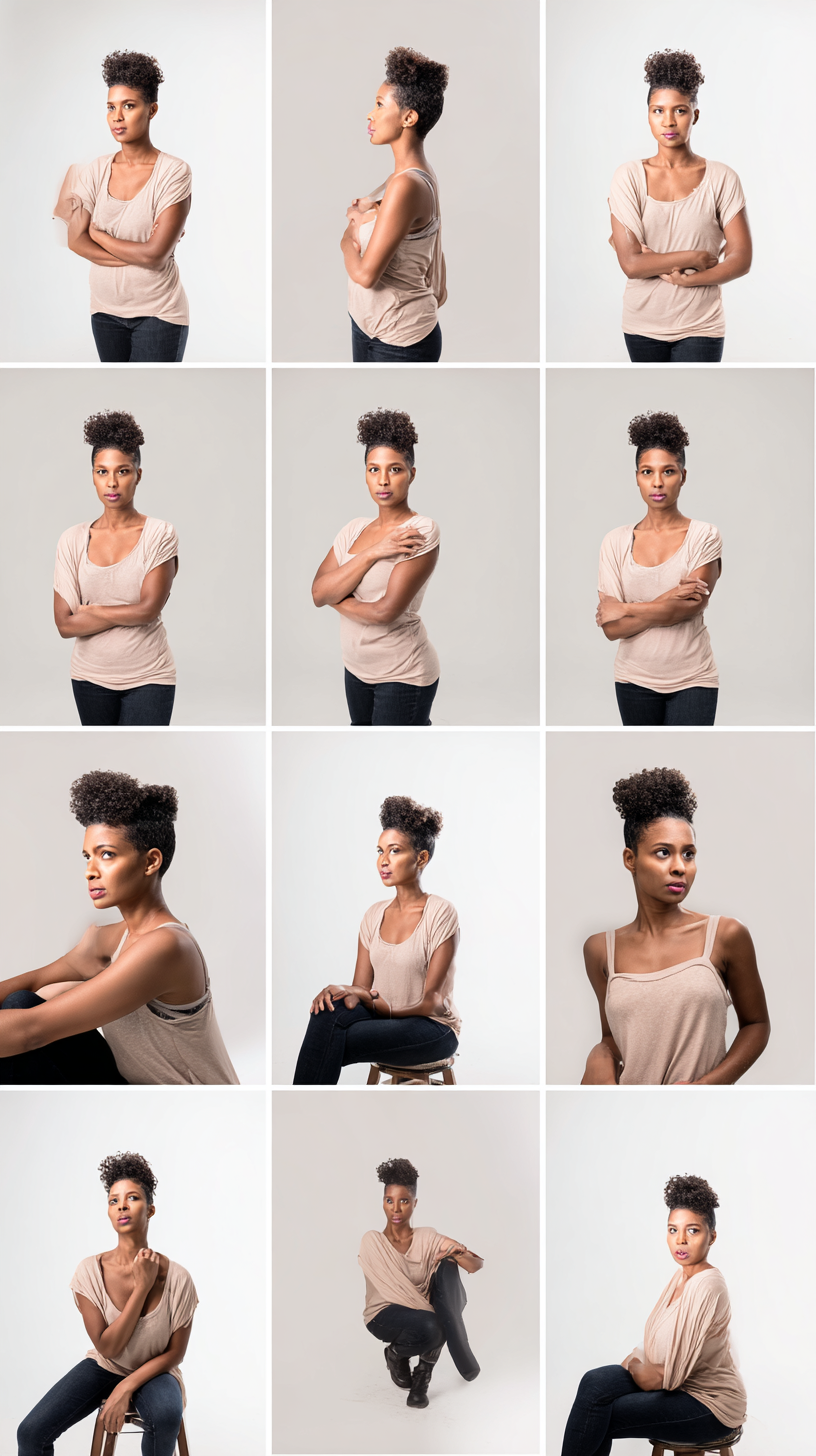
Aireiter Tweaks: Add “same lens and lighting across all images” to lock consistency; if face drift occurs, append “preserve facial landmarks and nose/mouth shape.”
Prompt #2: High-Readability Infographic (Clear Hierarchy)
Best for: Blogs, Pinterest, LinkedIn carousels, teaching visuals
Prompt: Design a clean infographic in 16:9 format titled “[TITLE]”. Layout anchors: Header (big title, max 6 words), Left column (5 bullet tips with icons), Right column (simple diagram with 3 labeled callouts), Footer (one-line takeaway, max 12 words). Use high readability, strong spacing, consistent alignment, and crisp typography. Modern minimal style, light background, no clutter, no tiny text.
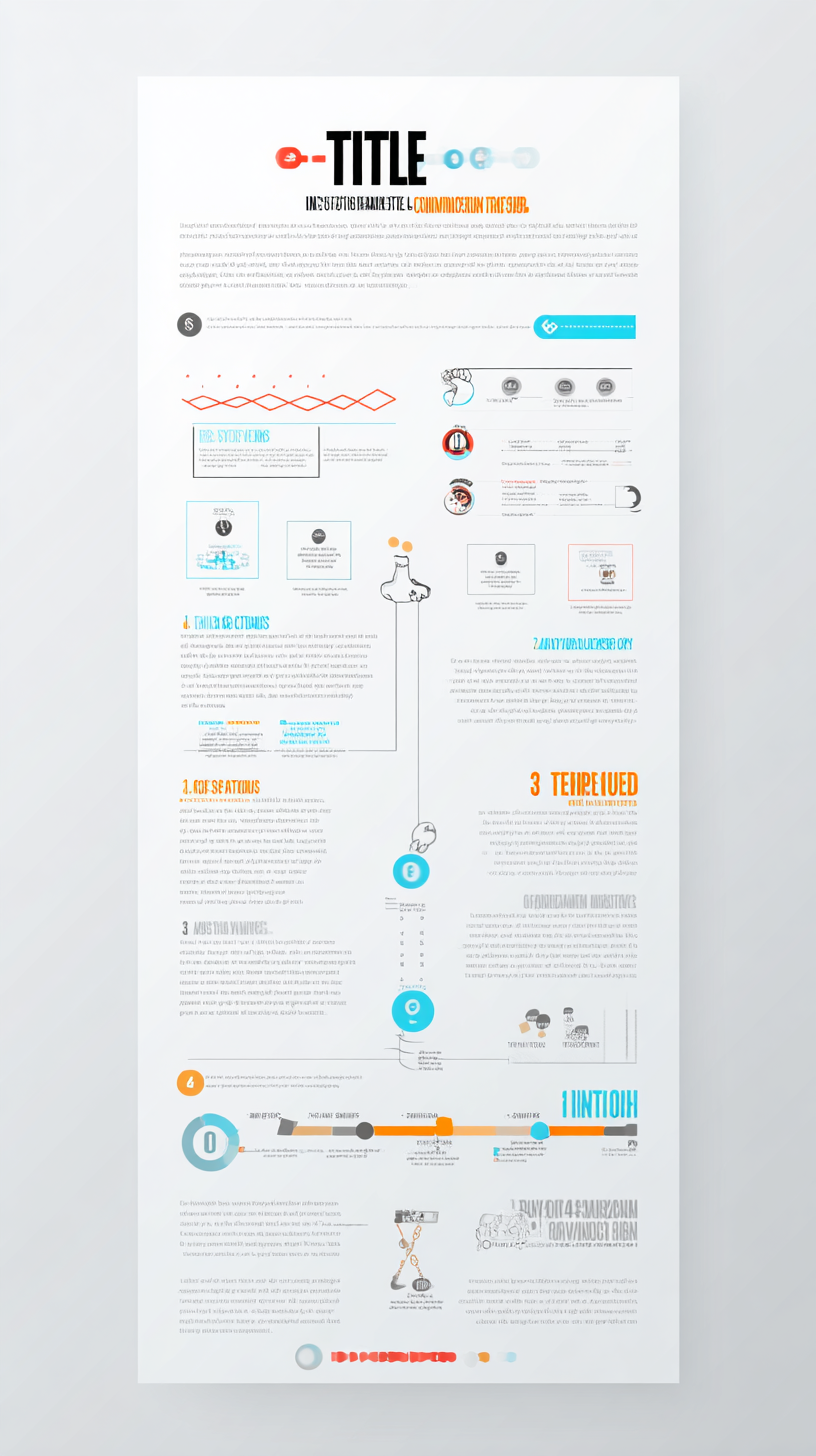
Aireiter Tweaks: Add “use maximum 20 total words outside the title” to avoid text overload; specify “font must be large enough to read on mobile” for cross-platform usability.
Prompt #3: Product Poster With Grid Layout + CTA Block
Best for: E-commerce banners, paid ads, hero sections, launch posters
Prompt: Create a premium product poster for [PRODUCT]. Layout anchors with strict grid: Top header ([BRAND NAME], small), Main headline ([HEADLINE], large), Center (product hero render on clean surface with soft shadow), Right side (3 feature bullets, max 4 words each), Bottom footer (CTA button shape with text “[CTA]”). Modern editorial style, clean whitespace, safe margins, readable text, studio lighting, no extra logos.
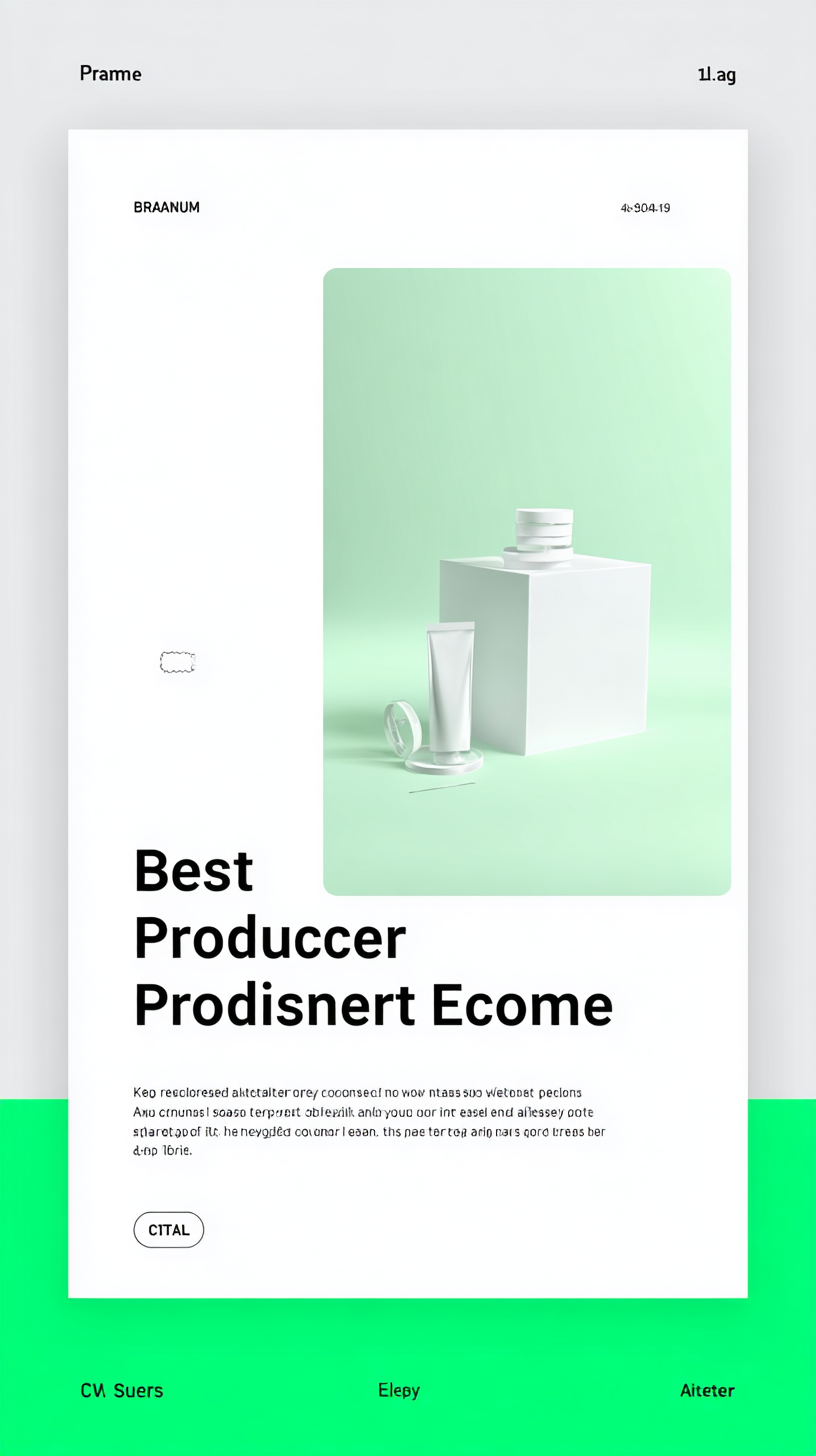
Aireiter Tweaks: Add “keep background simple, no busy textures” to keep focus on the product; append “use consistent alignment and equal spacing between sections” for grid precision.
Prompt #4: Before/After Transformation (Controlled Changes)
Best for: Makeovers, renovations, photo edits, lighting tests
Use: Upload a reference image (marked as “Before”)
Prompt: Create a side-by-side before/after image (split 50/50) using the uploaded photo as “Before”. Keep the same camera position, framing, and subject. For “After”, apply: [change: e.g., modern lighting, cleaner background, upgraded outfit, renovated room]. Ensure shadows, reflections, and perspective remain consistent. Photorealistic result, clean edges, no artifacts.
Aireiter Tweaks: Add “do not change face shape or identity” for portrait edits; append “keep hands and fingers natural” to avoid distortions.
Prompt #5: Cinematic Editorial Portrait (Lens + Mood)
Best for: Profile images, posters, character art, author headshots
Use: Upload a reference image (optional)
Prompt: Create a cinematic editorial portrait of [SUBJECT]. 85mm lens look, shallow depth of field, soft key light with gentle rim light, natural skin texture, subtle film grain, color graded like a premium magazine cover. Background: [simple / city bokeh / studio gray]. Expression: [confident / thoughtful]. No text.
Aireiter Tweaks: Add “avoid over-smoothing skin” for natural results; append “maintain realistic catchlights in eyes” to enhance authenticity.
Prompt #6: UI Screenshot Mock (Readable Text + Realistic Spacing)
Best for: Landing pages, pitch decks, app concepts
Prompt: Generate a realistic app UI screenshot for an app called “[APP NAME]”. Layout anchors: Top bar (logo left, profile icon right), Main card (headline “[TITLE]” and subtext, max 12 words), 3 buttons with labels: “[A] [B] [C]”, Bottom navigation bar with 4 icons. Typography must be crisp and readable. Use consistent spacing, realistic padding, and modern UI style. No brand infringement, no random logos.
Aireiter Tweaks: Add “use high contrast for text” to boost readability; append “avoid tiny microtext; keep labels short” for clarity.
Prompt #7: Technical Diagram With Accurate Labels
Best for: Tutorials, documentation, product explainers
Prompt: Create a technical infographic of [OBJECT] with labeled callouts. Requirements: Title at top (“[TITLE]”), Central object illustration (clean, accurate proportions), 6 callouts with arrows pointing to correct parts, Each callout label max 3 words. Minimal style, clear lines, high readability, white background, no clutter, no tiny text.
Aireiter Tweaks: Add “arrows must connect precisely to the correct part” for accuracy; append “use consistent icon style for callouts” to maintain cohesion.
Prompt #8: Style Transfer (Preserves Identity)
Best for: Anime/toy/painterly versions without losing “the person”
Use: Upload a reference portrait
Prompt: Transform the uploaded portrait into [STYLE: anime / 3D toy / painterly oil] while preserving identity and facial structure. Keep hairstyle, eye shape, and accessories consistent. Match the original pose and framing. Background stays similar but stylized. Clean output, no artifacts, no extra objects.
Aireiter Tweaks: Add “preserve facial landmarks and jawline” to lock identity; append “avoid changing clothing patterns unless requested” for consistency.
Prompt #9: 6-Panel Storyboard Strip (Consistent Grading)
Best for: Video pre-vis, marketing narratives, mini comics
Prompt: Create a 6-panel storyboard strip in 16:9, arranged as 2 rows of 3 panels. Story: [one-sentence story]. Keep the same character design across all panels. Add a short caption under each panel (max 6 words). Consistent color grading, consistent lighting direction, cinematic framing, clear visual continuity.
Aireiter Tweaks: Add “recurring props must stay identical” for cohesion; append “do not change character outfit across panels” to avoid inconsistency.
Prompt #10: Collectible Figure + Packaging Mock
Best for: Social trends, merch concepting, brand mascots
Use: Upload a reference image (optional)
Prompt: Create a high-quality 3D collectible figure of [SUBJECT] in a toy packaging mockup. The figure is stylized (big head, small body) but recognizable. Packaging includes: Top label (“[BRAND]”), Figure name (“[NAME]”), Three feature icons (no tiny text). Clean studio lighting, realistic plastic blister, sharp edges, photoreal packshot.
Aireiter Tweaks: Add “keep text short and bold” for readability; append “use safe margins so nothing gets cut off” for print-ready results.
Pro Prompting Tips for Nano Banana Pro on Aireiter
Elevate your prompts from good to great with these Aireiter-exclusive tips:
Tip 1: Use “Layout Anchors” for Design-Heavy Assets
When creating posters, infographics, or UI mockups, prompt like a layout engineer: define regions (header, columns, footer), set limits (word counts, bullet numbers), and specify alignment (grid, margins, spacing). This eliminates guesswork and ensures the model follows your structure.
Tip 2: Keep Text Short for Accuracy
Even with Nano Banana Pro’s strong text handling, shorter is safer. Use 3–6 words for headings, 3–4 words per bullet, and avoid long paragraphs in images. This boosts readability and reduces typos.
Tip 3: Lock Identity With “Preserve” Language
For character packs or photo edits, use phrases like “preserve facial structure,” “keep hairstyle consistent,” or “do not change product shape” to prevent identity drift. Pair this with reference image uploads on Aireiter for maximum control.
Tip 4: Iterate in Three Passes
- Structure Pass: Focus on layout and subject placement.
- Readability Pass: Tweak typography, spacing, and text size.
- Style Pass: Adjust lighting, color grading, and overall vibe.
This structured iteration saves time and ensures no detail is missed.
Tip 5: Resolution Strategy (Fast to Final)
Draft at 1k resolution for quick iteration – Aireiter’s fast processing makes this seamless. Once your prompt is locked, upscale to higher resolution for final outputs.
Troubleshooting Common Prompt Failures on Aireiter
Fix the most common Nano Banana Pro output issues with these fast solutions:
Problem | Aireiter’s Solution |
|---|---|
Messy or misspelled text | Shorten text length; add “bold, large, readable typography”; limit total words to 20. |
Layout ignores structure | Add “layout anchors with strict grid”; specify exact regions; use a simple background to reduce complexity. |
Identity drift across variations | Upload a reference image; add “preserve facial landmarks”; keep outfit/hairstyle identical in prompts. |
Fake-looking lighting after edits | Add “match shadows, reflections, and light direction”; specify time-of-day and light source position. |
Random extra objects | Add “no extra objects” to constraints; remove vague phrases like “high detail”; ask for “minimal scene with clean negative space.” |
Artifacts (weird hands, watermarks) | Add “no watermarks, no random logos”; specify “natural hands with five fingers”; simplify poses or crop tighter if issues persist. |
Final Thoughts from Aireiter: Master Nano Banana Pro Prompts
The secret to expert-level image generation with Nano Banana Pro on Aireiter is structure over vibe. Great prompts define the deliverable, layout logic, and constraints – all while leveraging the model’s strengths in consistency and text handling. Use the 10 copy-paste templates as starting points, tweak one variable at a time, and apply our pro tips to refine results.
Whether you’re creating character sheets, infographics, product posters, or UI mockups, these prompts will help you generate production-ready images fast. Aireiter’s optimized Nano Banana Pro workflow ensures your prompts translate to consistent, high-quality outputs every time – no trial-and-error required.
For more prompt templates, pro tips, and workflow hacks, follow Aireiter – your go-to platform for mastering AI image generation with Nano Banana Pro.