
Creating consistent, professional branded product mockups has always been a time-consuming challenge for designers and marketers—until Seedream redefined the workflow. At Aireiter, we’ve unlocked the full potential of Seedream to generate high-quality product mockups that align perfectly with your brand identity, all while streamlining production with Sequence Mode for batch generation. Whether you’re launching a new product line, updating your brand visuals, or creating marketing assets, Aireiter’s Seedream-powered workflow lets you generate consistent, on-brand product mockups in minutes—no manual design required.
In this guide, we’ll break down how to use Seedream on Aireiter to create brand product mockups, import your logo for consistent branding, master Sequence Mode for batch generation, and maintain visual consistency across all your product visuals. With Aireiter’s optimized Seedream performance and intuitive tools, you can turn your brand identity into production-ready product mockups faster than ever before.
1. Why Seedream on Aireiter Is the Best Tool for Branded Product Mockups
Seedream is more than just an AI image generation model—it’s a powerful design tool that excels at translating brand identity into tangible product visuals. On Aireiter, we’ve optimized Seedream to deliver consistent, high-quality results for brand product mockups, with key advantages that set it apart:
- Logo Integration: Import your brand logo directly into Seedream prompts to ensure consistent branding across all product mockups.
- Sequence Mode: Generate multiple variations of a single product mockup in one workflow, perfect for A/B testing or creating a full product line.
- Visual Consistency: Seedream maintains brand colors, typography, and design elements across all generated images, eliminating the need for manual edits.
- Speed & Efficiency: Generate production-ready product mockups in seconds, cutting down on design time and accelerating go-to-market timelines.
At Aireiter, we’ve tested Seedream across hundreds of product mockup projects, and the results speak for themselves: consistent, on-brand visuals that match the quality of professional design teams—at a fraction of the time and cost.
2. Step-by-Step: Generate Branded Product Mockups with Seedream on Aireiter
Creating branded product mockups with Seedream on Aireiter is straightforward, with a repeatable workflow that ensures consistent results every time. Follow these steps to turn your brand identity into production-ready product visuals:
Step 1: Define Your Brand Identity & Product Brief
Start by outlining your brand guidelines and product details:
- Brand Elements: Identify your logo, color palette, typography, and key design motifs.
- Product Details: Specify the product type (e.g., apparel, tech, packaging), material, and key features.
- Visual Style: Define the aesthetic (e.g., minimalist, bold, playful) to align with your brand identity.
At Aireiter, we recommend compiling these details into a concise brief to guide Seedream’s generation—this ensures your product mockups stay true to your brand.
Step 2: Import Your Logo & Craft Your Seedream Prompt
Next, import your brand logo into Aireiter’s Seedream interface and craft a detailed prompt that includes:
- Product type and key features
- Brand logo and color palette
- Desired visual style and context (e.g., “minimalist packaging for a sustainable skincare brand”)
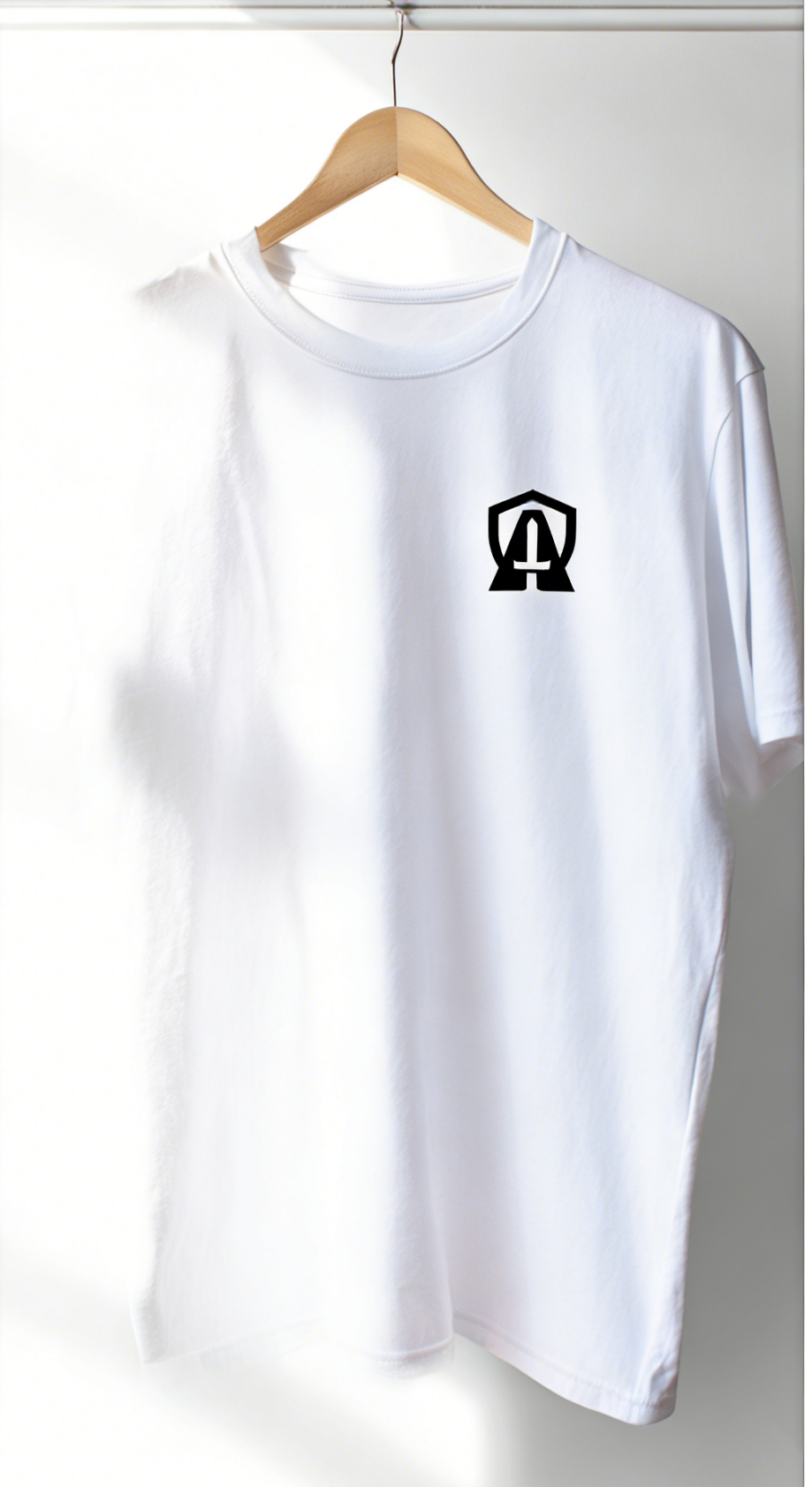
Example prompt for a branded t-shirt mockup:
“Minimalist white cotton t-shirt mockup with a bold black brand logo centered on the chest, soft natural lighting, clean white background, professional product photography style, consistent brand colors (navy blue and white)
Aireiter Pro Tip: Include your logo as a reference image in the prompt to ensure Seedream replicates it accurately across all product mockups.
Step 3: Generate Your Base Mockup & Refine
Run your prompt in Seedream on Aireiter to generate a base product mockup. Review the output and refine your prompt to adjust details like lighting, composition, or branding placement. Seedream excels at iterative refinement, so don’t hesitate to tweak your prompt until you get the perfect base mockup.
Step 4: Master Sequence Mode for Batch Generation
Once you have a base mockup you love, use Seedream Sequence Mode on Aireiter to generate batch variations of your product mockup. This feature lets you:
- Generate multiple versions of the same product with different colors, materials, or contexts.
- Maintain consistent branding across all variations, ensuring your logo and design elements stay true to your brand identity.
- Streamline production for full product lines or marketing campaigns.
To use Sequence Mode:
- Select your base mockup in Aireiter’s Seedream interface.
- Enable Sequence Mode and define the number of variations you want to generate.
- Adjust your prompt to specify variations (e.g., “same t-shirt mockup in navy blue, red, and gray”) and run the generation.
Aireiter Pro Tip: Use Sequence Mode to generate 5–10 variations of a single product mockup—this gives you plenty of options for A/B testing or creating a cohesive product line.
Step 5: Finalize & Export Your Product Mockups
After generating your product mockups, review the outputs in Aireiter and select the best variations for your project. Export the images in high resolution (300 DPI) for print or digital use, and use Aireiter’s built-in editing tools to make final tweaks to branding, lighting, or composition.
3. Key Tips for Maintaining Brand Consistency with Seedream on Aireiter
Maintaining brand consistency across all your product visuals is critical for building trust and recognition. At Aireiter, we’ve refined these best practices to ensure your Seedream mockups stay true to your brand identity:
- Reference Your Logo: Always include your brand logo as a reference image in your prompts to ensure accurate replication.
- Specify Brand Colors: Explicitly list your brand’s color palette in your prompts to avoid inconsistent hues.
- Use Consistent Context: Define the context (e.g., “e-commerce product page,” “social media ad”) to ensure your product mockups fit seamlessly into your marketing materials.
- Iterate with Sequence Mode: Use Sequence Mode to generate variations of a single mockup, then select the outputs that best align with your brand guidelines.
- Leverage Aireiter’s Templates: Use Aireiter’s pre-built Seedream templates for common product types (e.g., apparel, packaging, tech) to streamline production and ensure consistency.
4. Real-World Use Cases: Seedream Brand Product Mockups on Aireiter
Seedream on Aireiter is versatile enough to create branded product mockups for every industry and use case. Here are a few examples of how teams are leveraging this workflow:
- Apparel Brands: Generate t-shirt, hoodie, and accessory mockups with consistent logo placement and brand colors for e-commerce and social media.
- Consumer Tech: Create sleek, modern mockups for smartphones, headphones, and smart devices that align with brand identity and product specs.
- Packaging Design: Produce sustainable packaging mockups with accurate logo placement and material textures for product launches.
- Marketing Agencies: Batch-generate product visuals for client campaigns, ensuring consistent branding across all assets.
At Aireiter, we’ve seen teams reduce their product mockup production time by 80% using Seedream—freeing up designers to focus on creative strategy instead of repetitive tasks.
5. FAQ: Seedream Brand Product Mockups on Aireiter
At Aireiter, we’ve fielded hundreds of questions about using Seedream for brand product mockups—here are the answers to the most common:
Can I import my own logo into Seedream on Aireiter?
Yes! Aireiter’s Seedream interface lets you upload your brand logo as a reference image, ensuring accurate replication across all product mockups.
How do I maintain brand consistency across multiple product mockups?
Use Seedream Sequence Mode to generate batch variations of a single base mockup, and explicitly include your brand logo, color palette, and design guidelines in your prompts. Aireiter’s templates also help maintain consistency across different product types.
Can I use Seedream on Aireiter for commercial product mockups?
Absolutely! Seedream on Aireiter is designed for commercial use, with production-ready outputs that meet the quality standards of e-commerce, marketing, and design projects. Always verify Aireiter’s licensing terms for your specific use case.
What’s the best way to start with Seedream on Aireiter?
Start small: pick a single product type (e.g., a t-shirt or packaging), craft a detailed prompt with your logo and brand guidelines, and generate a base mockup. Use Sequence Mode to create variations, then refine your workflow based on the results.
Final Thoughts from Aireiter: The Future of Branded Product Mockups
Seedream on Aireiter has redefined what’s possible with branded product mockups, making professional, consistent visuals accessible to every team—regardless of design expertise. By leveraging Sequence Mode for batch generation, importing your logo for consistent branding, and following our best practices for visual consistency, you can turn your brand identity into production-ready product visuals in minutes.
At Aireiter, we believe AI should empower creativity, not replace it. Seedream on our platform lets designers and marketers focus on what they do best—strategic thinking and creative storytelling—while handling the repetitive work of product mockup generation. Whether you’re launching a new product line, updating your brand, or creating marketing assets, Aireiter’s Seedream-powered workflow is the key to faster, more consistent, and more impactful branded product visuals.
For more tips on using Seedream on Aireiter for brand product mockups, follow Aireiter—your go-to resource for AI-powered design and marketing workflows.