
If you’re looking to harness the full potential of Seedream 5.0—one of the most advanced AI models for image creation and manipulation—mastering effective prompting is the key. This cutting-edge AI model redefines what’s possible with AI imagegeneration and editing, delivering hyper-detailed, stylistically versatile outputs that stand out in a crowded AI landscape. From crafting cinematic image prompts that rival professional photography to seamless editing workflows and precise instruction following, Seedream 5.0 combines artistic sophistication with technical precision.
In this comprehensive guide, we’ll break down everything you need to know to create high-impact prompts for Seedream 5.0, explore its standout features (including style transfer, example-based editing, and accurate text rendering), and walk through practical prompting tips and API integration. Whether you’re a designer, content creator, developer, or AI enthusiast, this guide will turn you into a Seedream 5.0 prompting expert—no advanced technical skills required.

Seedream 5.0’s Stunning Aesthetic Capabilities for Image Generation
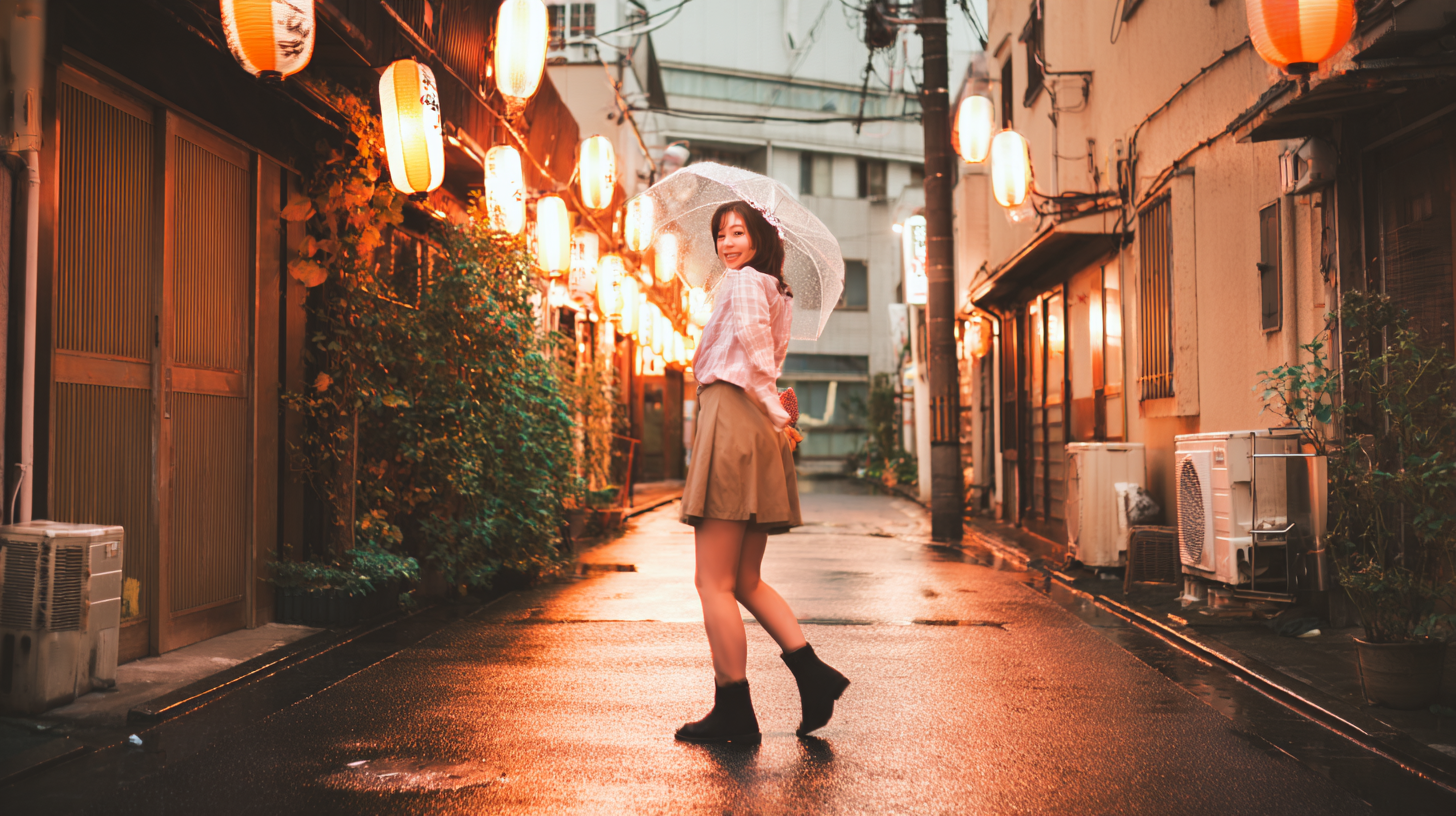
What sets Seedream 5.0 apart from other AI models is its innate understanding of photographic and artistic language, translating your prompts into visually striking images with incredible attention to detail. This model doesn’t just generate generic visuals—it creates images with intentional taste, whether you’re crafting portraits, landscapes, still lifes, or architectural shots.
Photorealistic & Stylistic Image Mastery
Seedream 5.0 excels at interpreting nuanced photographic terms in your prompts, from specific film stocks and lens characteristics to lighting setups and post-processing effects. A well-crafted prompt for a film portrait, for example, will yield results that look like they were shot on the exact equipment you reference—complete with grain, halation, and color cast that matches real-world photography.
Imagine prompting: “A woman standing in a Parisian alley at twilight, neon café signs reflecting off wet cobblestones, shot on expired Fujifilm Superia 400 pushed one stop, warm tungsten light spilling from a bistro window, cool blue neon highlights on her hair, visible film grain, soft bokeh”—Seedream 5.0 will render every detail with precision, creating a cinematic image that feels authentic and alive.
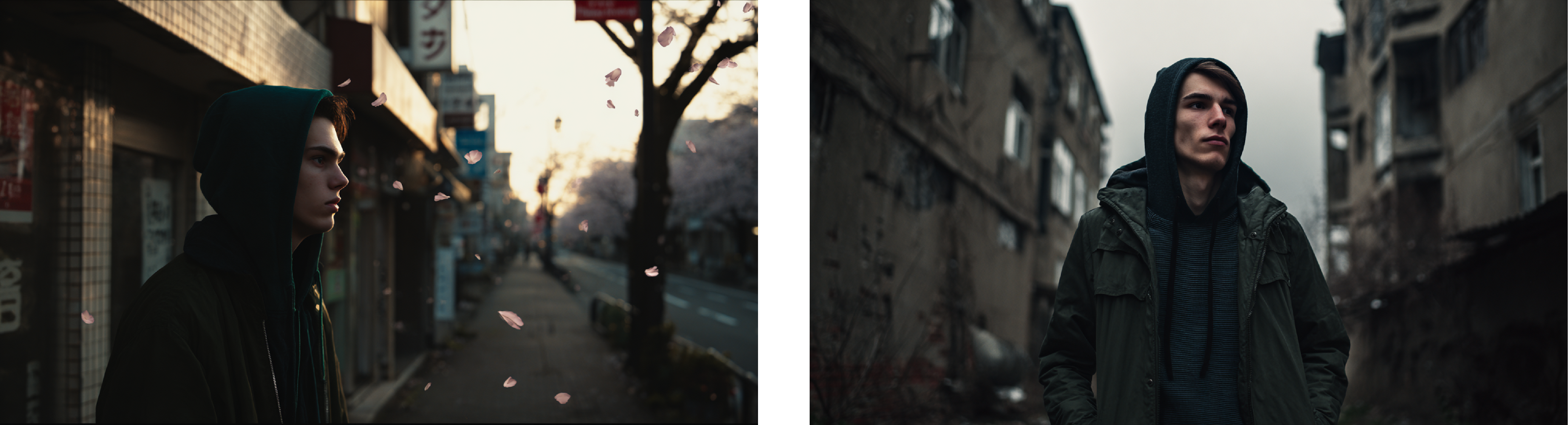
This attention to detail extends to all image types: aerial landscapes with abstract natural patterns, Renaissance-inspired still lifes with dramatic chiaroscuro lighting, and quiet documentary-style portraits that capture human emotion. Every prompt you craft is elevated by the model’s ability to balance technical accuracy with artistic flair.
Core Seedream 5.0 Features Elevating Prompting & Image Workflows
Beyond raw imagegeneration, Seedream 5.0 boasts a suite of powerful features that make prompting more flexible and editing more intuitive. These features turn simple prompts into dynamic creative workflows, letting you transform images, apply complex styles, and follow multi-step instructions—all with minimal effort.
Example-Based Editing: Show, Don’t Tell
One of Seedream 5.0’s most innovative features is example-based editing—a game-changer for when describing a complex transformation in words feels impossible. Instead of crafting a lengthy prompt for a specific edit, you simply show the model a before/after image pair, and it applies the exact same transformation to a third image.
This works for every type of editing task:
- Material swaps: Show the model a wooden mug turned to marble, and it’ll apply the same texture change to a ceramic vase (no detailed prompt required).
- Scene changes: Demonstrate a day-to-night shift in a cityscape image, and the model will replicate the lighting and color change for a mountain landscape.
- Style transfer: Share a photograph converted to a Van Gogh-style painting, and Seedream 5.0 will apply that artistic style to any new image you input.
This feature eliminates the guesswork of prompting for complex edits—the model learns the transformation visually, so you get exactly the result you want.

Precise Instruction Following for Complex Image Compositions
Unlike many AI models that treat prompts as a random set of keywords, Seedream 5.0 actually reasons through your instructions, ensuring every detail you specify is included in the final image. This precise instruction following is a game-changer for crafting complex images with specific spatial relationships, quantities, text, and objects.
Whether your prompt calls for a cluttered software engineer’s desk with color-coded Post-it notes, a custom mug with specific text (e.g., “console.log(‘coffee’)”), or a scientific diagram with labeled components, Seedream 5.0 tracks every requirement and renders it accurately. Even multi-step instructions—like sorting flowers by type into separate vases or annotating a food spread with nutritional text—are handled with ease, as the model processes logical relationships between elements in your prompt.
Seamless Style Transfer & Thematic Consistency
Style transfer is one of the most popular use cases for AI imageediting, and Seedream 5.0 does it better than most—thanks to its deep understanding of artistic styles and visual language. A simple prompt specifying a desired style (e.g., “Reimagine this cityscape as a traditional Japanese Ukiyo-e woodblock print, flat perspective, bold indigo and vermillion outlines”) is all it takes to transform a image into a work of art that adheres strictly to the style you reference.
The model also maintains thematic and style consistency across multiple images—perfect for creating storyboards, brand identity sets, or series of visuals. A single prompt asking for a 2x2 cinematic storyboard will yield four images with consistent character design, lighting, and color palette, while a request for a brand flat-lay will produce cohesive images with matching logos, colors, and textures.

Accurate Text Rendering: A Standout Seedream 5.0 Feature
AI models have long struggled with accurate text rendering, but Seedream 5.0 perfects this critical feature—building on the strong foundation of previous Seedream versions. Adding text to your images is simple: wrap the desired text in double quotation marks in your prompt, and the model will render it clearly, with support for multiple fonts, case styles, punctuation, and even multilingual text (Chinese, Japanese, Korean, and more).
This feature is ideal for creating typographic posters, branded images, labeled diagrams, or any visual that requires legible, custom text. A prompt for a jazz festival poster with specific event text, performer names, and a stylized graphic will result in a polished image with perfectly rendered text—no messy, unreadable characters, just clean, accurate typography.

Multi-Step Logical Reasoning for Dynamic Image Creation
Seedream 5.0 isn’t just a generation and editing tool—it’s a model with true logical reasoning capabilities, able to process complex, multi-step instructions and create images that follow physical and mechanical rules. This means your prompts for intricate scenes (like a Rube Goldberg machine or a disassembled antique pocket watch with labeled parts) will be rendered with physically correct shadows, component placement, and spatial logic.
The model also excels at transformative reasoning—e.g., generating a tadpole’s growth into a frog or a monarch butterfly’s four-stage metamorphosis—creating sequential images that follow natural scientific accuracy. This logical reasoning elevates your prompts from simple visual requests to dynamic, narrative-driven image creation.

Pro Seedream 5.0 Prompting Tips for Perfect Results
Crafting the perfect prompt for Seedream 5.0 is a mix of specificity and natural language—and these pro tips will help you get the most out of the model for every imagegeneration and editing task.
- Use natural language, not keyword listsA conversational prompt (“A lone fisherman mending nets on a weathered wooden dock at dawn, Leica M 50mm lens, soft bokeh, rose gold sea gradient”) works far better than a disjointed list of keywords (“fisherman, dock, dawn, Leica, bokeh”). Seedream 5.0 thrives on understanding context and flow in your prompts.
- Wrap text in double quotes for accurate renderingAs mentioned, double quotation marks tell the model to render specific text exactly as written. This is non-negotiable for any prompt that includes text in the final image.
- Specify what to keep for editing workflowsWhen editing an existing image, include details of what shouldn’t change in your prompt (“Replace the character’s hat with a crown, keeping their pose, expression, and the background unchanged”). This ensures the model only applies the edit you want.
- Leverage visual markers for complex editsFor detailed editing (e.g., furnishing a room or rearranging elements), add arrows, bounding boxes, or colored regions to your input image and reference them in your prompt. This tells the model exactly where to apply changes.
- State your use case in the promptAdding your intended use case (“Design a logo for a skincare brand” or “Create a social media graphic for a coffee shop”) gives the model context, resulting in images that are optimized for your goal—better than just describing visual elements alone.
- Show, don’t tell for example-based editingIf a transformation is hard to describe, skip the lengthy prompt and use a before/after image pair. Seedream 5.0’s example-based editing is designed for these exact scenarios.
- Be specific about artistic/photographic stylesReference specific artists, film stocks, lenses, or art movements in your prompt (e.g., “Caravaggio-style chiaroscuro lighting” or “shot on Kodak Portra 800”). The model’s deep understanding of these terms will elevate your images exponentially.

Seedream 5.0 API Integration: Bring the Model to Your Workflows
For developers and businesses, Seedream 5.0 offers seamless API integration—letting you embed this powerful AI model’s imagegeneration and editing capabilities directly into your apps, websites, and workflows. The API is easy to use with popular programming languages like JavaScript and Python, and supports all core Seedream 5.0 features, including custom prompts, image inputs for editing, and custom size/aspect ratio settings.
Seedream 5.0 API Example: JavaScript
javascript
import Replicate from "replicate";

// Initialize the Replicate client with your API token
const replicate = new Replicate({
  auth: process.env.REPLICATE_API_TOKEN,
});

// Run Seedream 5.0 with your custom prompt and settings
const output = await replicate.run(
  "bytedance/seedream-5-lite",
  {
    input: {
      prompt: "Your custom Seedream 5.0 prompting text here",
      size: "4K", // Choose 2K or 4K resolution
      aspect_ratio: "16:9", // Custom aspect ratio (1:1, 9:16, etc.)
      // Add image_input for editing/style transfer: ["https://your-image-url.jpg"]
    }
  }
);

// Log the generated image URL
console.log(output);
Seedream 5.0 API Example: Python
python
import replicate

# Run Seedream 5.0 with your prompt and custom parameters
output = replicate.run(
    "bytedance/seedream-5-lite",
    input={
        "prompt": "Your custom Seedream 5.0 prompting text here",
        "size": "2K",
        "aspect_ratio": "1:1",
        # Uncomment for image editing: "image_input": ["https://your-image-url.jpg"]
    }
)

# Print the generated image URL
print(output)


The API is highly scalable, making it ideal for everything from small personal projects to enterprise-level content generation—all while retaining the full power of Seedream 5.0’s prompting and editing capabilities.
Unlock Seedream 5.0’s Full Potential With Great Prompting
Seedream 5.0 is more than just an AI imagegeneration and editingmodel—it’s a creative partner that turns your ideas into stunning, professional-quality visuals. The key to unlocking its full potential is simple: craft clear, specific, natural language prompts that leverage the model’s strengths—from its photographic aesthetic to its precise instruction following, seamless style transfer, and accurate text rendering.
Whether you’re creating a single artistic image, editing a batch of visuals, building a brand identity set, or integrating the model into your app via the API, mastering Seedream 5.0prompting will transform how you work with AI. With the tips and features outlined in this guide, you’ll be able to create images that stand out, streamline your creative workflows, and push the boundaries of what’s possible with AI.
Ready to start prompting? Grab your ideas, fire up Seedream 5.0, and let this incredible AI model bring your vision to life—one perfectly crafted prompt at a time.